Cordless Robot Pool Cleaner: Smart Navigation & 5000mAh
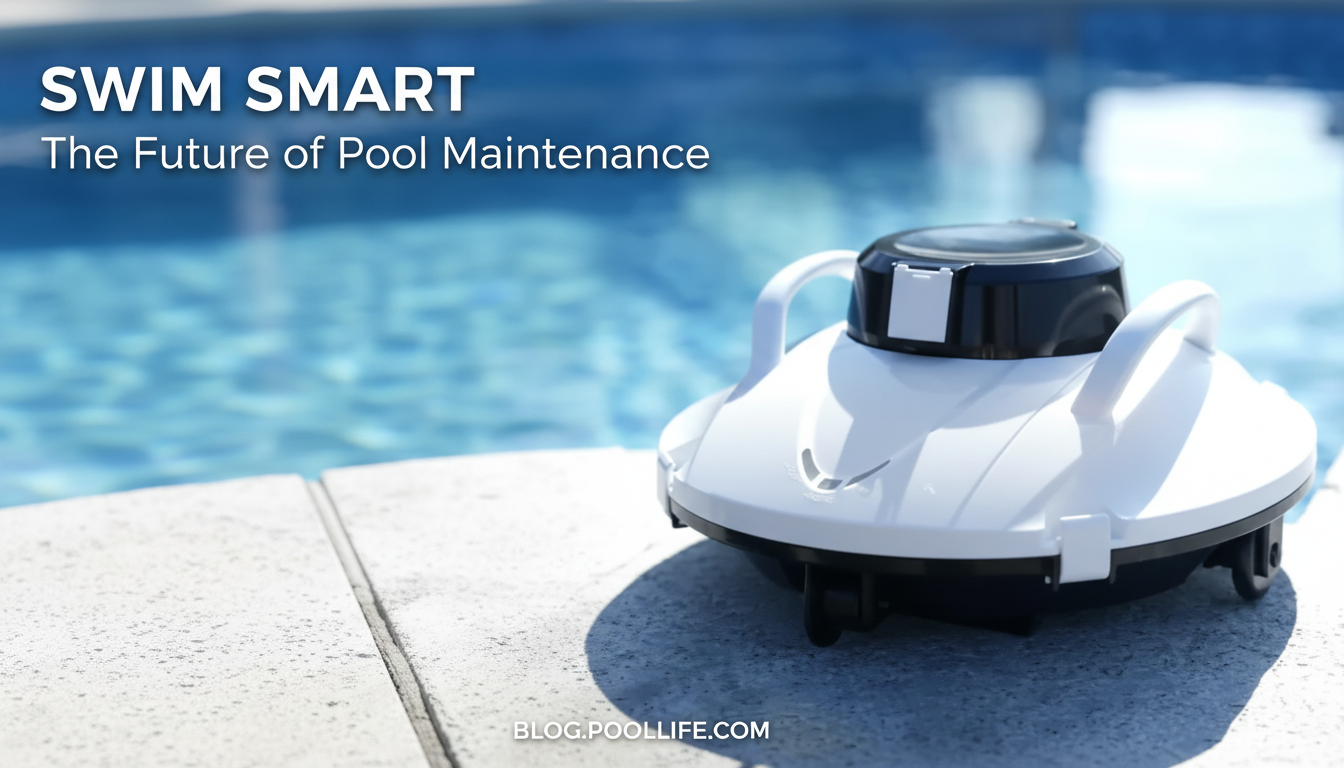
Efficient Cordless Robot Pool Cleaner with Smart Navigation and 5000mAh Battery: What to Expect Day to Day
A cordless pool robot can simplify weekly upkeep by collecting debris without hoses, booster pumps, or tangling power cords. This guide breaks down how smart navigation and a 5000mAh battery typically affect coverage, runtime, maintenance, and overall convenience for common backyard pool setups.
Why cordless robotic cleaning changes pool maintenance
Traditional pool cleaning often comes with a small “activation cost”: dragging out a hose, keeping it from kinking, checking suction, or watching a cord so it doesn’t snag. A cordless robotic cleaner reduces that friction, making it easier to run quick clean cycles more often.
- Removes the need to route hoses or manage power cords at the pool edge, reducing setup friction.
- Helps maintain clearer water between full cleanings by picking up leaves, sand, and fine debris before it settles and breaks down.
- Supports more frequent quick clean cycles, which can reduce the workload on skimmers and filtration over time.
- Best results come from pairing robotic cleaning with balanced chemistry and routine skimming after storms or heavy use.
For shoppers comparing options, a cordless unit like the Efficient Cordless Robot Pool Cleaner with Smart Navigation and 5000mAh Battery is typically chosen for convenience: drop it in, start a cycle, and rinse the filter afterward.
Smart navigation: how it influences coverage
“Smart navigation” generally refers to a cleaner’s ability to follow a more intentional route and recover when it encounters obstacles. Instead of wandering randomly, it aims to cover the floor with fewer repeats, which can matter a lot when you’re trying to finish a cycle before the battery runs down.
- Smart navigation typically means the cleaner follows a more deliberate path rather than random wandering, aiming for fewer missed spots.
- More consistent pathing can improve time-to-clean, especially in medium pools where the robot can complete a pattern before battery runs low.
- In pools with benches, drains, or irregular shapes, smart navigation can help the robot reorient and continue cleaning instead of repeatedly revisiting the same area.
- Placement matters: starting near the deepest area (when possible) can help the unit climb or redirect more effectively, depending on design.
Day to day, the biggest difference you’ll notice is predictability. When the robot’s path is more consistent, it’s easier to develop a routine (for example, run it after work, rinse it, and you’re done) rather than wondering whether it “got everything” this time.
5000mAh battery basics: runtime, charging, and planning clean cycles
A 5000mAh battery is often associated with practical, cable-free cleaning sessions, but real runtime still depends on conditions in the water. When suction load rises—like when the filter fills quickly or the unit is pushing through heavier debris—the motor may draw more power.
- A higher-capacity battery can support longer cleaning sessions, but real-world runtime depends on suction load, brush resistance, and pool surface conditions.
- Heavier debris (wet leaves, acorns, fine sand) can increase power draw and reduce runtime compared with light dust or pollen.
- For routine maintenance, shorter, more frequent cycles often keep the pool consistently clean and can be easier on filters than waiting for large debris buildup.
- Charging habits: allow the unit to fully dry and follow manufacturer guidance for charging intervals and storage between uses.
A simple planning approach: use “maintenance cycles” on normal weeks and “recovery cycles” after storms or heavy swim days. If the pool is messy, expect to empty/rinse the filter and run an additional cycle rather than relying on one long pass.
Setup checklist for consistent results
Small setup habits tend to deliver the biggest improvements in consistency—especially if your pool gets leaf drop, wind-blown dust, or sand.
If staying consistent is the challenge, it can help to keep a simple weekly schedule and checklist. A planning tool like Build a Smarter Content Calendar with AI | AI-Powered Content Planning Guide can be repurposed as a routine tracker—helpful for logging robot runs, filter rinses, and chemistry check days.
Cleaning performance: what it handles well (and what still needs manual help)
Maintenance: filters, rinsing, and long-term care
Quick comparison: manual vs corded vs cordless robotic cleaning
| Option | Best for | Trade-offs |
|---|---|---|
| Manual vacuum + pole | Spot-cleaning and occasional deep cleans | More time and effort; requires active supervision |
| Corded robotic cleaner | Longer sessions and frequent use in large pools | Cord management; requires nearby power and careful handling |
| Cordless robotic cleaner (smart navigation) | Fast setup, regular maintenance cycles, reduced hassle | Runtime limited by battery; may need extra cycles after heavy debris |
Safety and pool-care best practices
For additional safety references, review the CDC’s guidance on pool chemical safety and the CPSC’s overview of pool and spa safety.
When results fall short: common causes and quick fixes
FAQ
How long does a 5000mAh cordless pool robot typically run per charge?
Runtime varies with debris load, surface friction, and how quickly the filter fills. For planning, many owners use one routine cycle for day-to-day upkeep and expect additional cycles (with filter rinses between) after storms or heavy debris.
Does smart navigation prevent the robot from getting stuck on drains or steps?
Smart navigation can reduce repeated bumping and help the cleaner reorient, but pool layouts still matter. If your pool has prominent drains, steps, or shelves, changing the start location and doing occasional mid-cycle checks can improve consistency.
How often should the filter be cleaned for best performance?
Rinsing after each cycle is the simplest way to keep suction and flow strong, with more frequent rinses in dusty or leafy conditions. Also inspect for hair or string around moving parts, and let the unit dry before storage.















Leave a comment