Portable 4K WiFi LED Projector (Android 13): Setup Tips
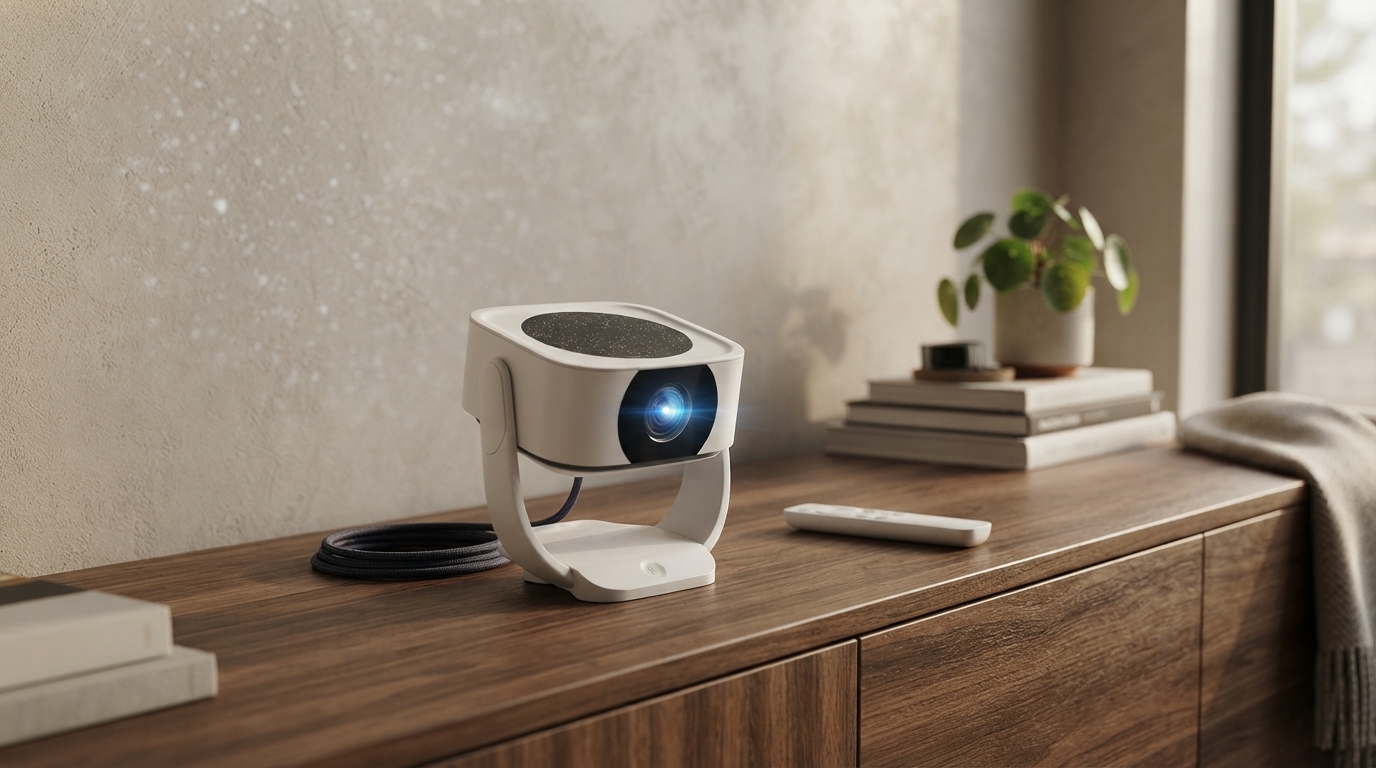
A compact projector can turn a bedroom wall, backyard screen, or living-room setup into a movie-night space without needing a TV. This guide breaks down what to expect from a portable 4K HD WiFi LED home theater projector with Android 13, how to set it up quickly, and how to get the best picture and sound in real rooms.
What This Projector Is Built For
A portable projector is all about flexibility: it’s made for big-screen viewing where a fixed TV feels like the wrong tool. The sweet spot is everyday entertainment in spaces that change—rentals, dorms, multipurpose rooms, and family rooms where the “best wall” isn’t always the same wall.
- Portable home theater setups where a fixed TV is inconvenient (rentals, dorms, multipurpose rooms).
- Casual streaming and app-based playback using Android 13 without relying on an external streaming stick.
- Flexible placement for movie nights, sports, and kids’ content on a larger-than-TV image.
- Quick pack-up for travel, backyard viewing, or moving room to room.
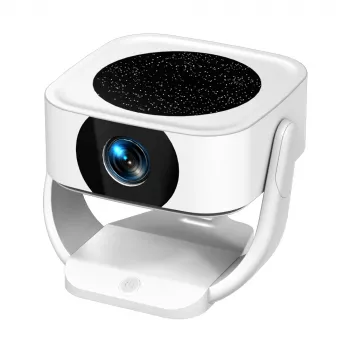
If you want a simple starting point, the Portable 4K HD WiFi LED Home Theater Projector with Android 13 is designed for exactly this “set it up anywhere” style of viewing.
Quick Feature Guide (What Each Spec Means in Daily Use)
Projector listings can look spec-heavy, but a few terms matter more than others once you’re actually watching a movie. Here’s how the common features translate to real-world use.
- 4K HD support: often indicates the device can accept 4K input; final displayed resolution and sharpness depend on the projector’s native panel and processing.
- LED light source: designed for long-life operation and lower heat compared with traditional lamp-based projectors.
- WiFi connectivity: enables wireless streaming options and network access for apps; performance depends on router quality and distance.
- Android 13 system: allows app installation and direct playback without a separate player; app compatibility can vary by region and DRM requirements.
- Home-theater form factor: intended for a large image in a dimmer room for best contrast and color.
Feature-to-Benefit Snapshot
| Feature | What it affects | Why it matters |
|---|---|---|
| 4K input support | Content compatibility | Plays modern streaming devices and 4K sources without downscaling errors. |
| LED projection | Heat, longevity, portability | Less maintenance and a more travel-friendly setup. |
| WiFi | Wireless playback, casting | Reduces cable clutter and makes it easier to stream from phones or networks. |
| Android 13 | Apps and user interface | Streaming and playback can happen directly on the projector. |
| Portable design | Placement options | Quick repositioning for different rooms, screen sizes, and viewing angles. |
For deeper background on connection standards and what to expect from HDMI devices, the official HDMI resource is a helpful reference: HDMI Licensing Administrator, Inc.. For Android platform basics, see Android Developers.
Setting Up in 10 Minutes: Placement, Focus, and Screen Size
A “good enough” setup can happen fast if you do the steps in the right order: control light first, then placement, then size, then focus.
- Start with room control: dim lights and avoid bright lamps behind the viewing area to improve perceived contrast.
- Square the projector to the surface: place the projector straight-on when possible; extreme angles can soften edges and reduce uniform focus.
- Pick a simple surface: a smooth, light-colored wall works in a pinch; a dedicated screen improves brightness uniformity and sharpness.
- Set distance for size first: adjust distance to control image size before fine-tuning focus; lock in position, then focus for the center and check corners.
- Stabilize cables: if using HDMI or external audio, route cables so the projector can stay stable and level.
One practical tip for multipurpose rooms: if the “screen wall” is also your media wall, pairing a clean setup with a console can keep things organized. A wall-mounted option like the Floating TV Stand with 36″ Electric Fireplace and High Gloss Finish can create a dedicated zone for devices and accessories without dominating the room.
Using Android 13 for Streaming and Apps
Android on a projector is meant to reduce friction: fewer boxes, fewer remotes, and fewer cables. The easiest experience comes from setting it up once, then keeping it tidy.
Connectivity: WiFi, HDMI, and Wireless Casting
For general projector buying considerations—like room brightness, placement, and expectations—this overview is a solid primer: Consumer Reports projector guidance.
Getting Better Sound Without Overcomplicating the Setup
Best Uses: Movie Nights, Gaming, and Backyard Viewing
For backyard nights, comfort matters as much as brightness. A seating setup like the 7-Piece All-Weather Wicker Patio Furniture Set with Cushions & Pillows helps turn a quick test projection into an outdoor “stay awhile” experience.
Care, Maintenance, and Longevity Tips
FAQ
Does “4K HD” mean the projector displays native 4K resolution?
Not always. “4K support” commonly means the projector can accept a 4K signal, while the displayed sharpness depends on the projector’s native resolution, processing, focus accuracy, and your screen surface and viewing distance.
Can streaming apps run directly on Android 13 without a separate device?
Many streaming apps can run directly on Android 13, but availability and maximum playback quality depend on each app’s DRM/certification and region. If a service limits resolution or won’t play smoothly, using an external streaming stick via HDMI is a straightforward fallback.
What’s the easiest way to improve sound for a projector setup?
Add a simple soundbar or powered speaker and place it near the screen area for clearer dialog. If Bluetooth introduces noticeable lip-sync delay, switching to a wired connection is usually the quickest fix.











Leave a comment