Kids Digital Camera Guide: Durable, Easy & Fun Picks
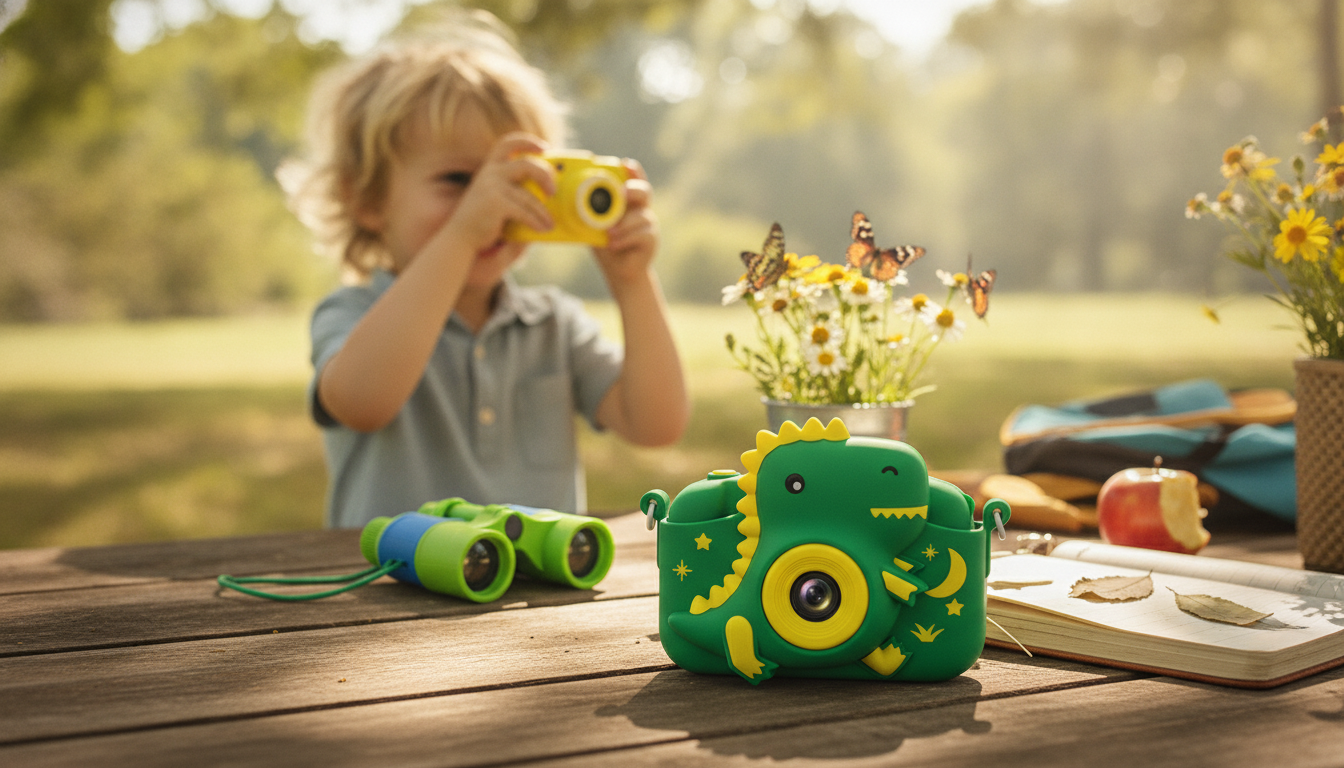
Kids Digital Camera: A Fun, Durable First Camera for Young Photographers
A kids’ camera should be simple enough for small hands, tough enough for everyday drops, and fun enough to inspire creative play. This guide breaks down what matters most—ease of use, durability, photo quality for the age group, storage, and safety—plus a quick comparison of common features to help pick the right fit.
What Makes a Great First Camera for Kids
A first camera works best when it feels intuitive from the very first click. Kids are more likely to stick with photography when the camera is easy to hold, easy to understand, and quick to reward their curiosity.
- Simple controls: Large buttons, clear icons, and a menu that doesn’t require reading help kids explore independently.
- Comfortable grip: A compact body with a textured or silicone-like shell improves hold and confidence.
- Instant feedback: A bright screen makes it easy to frame shots and review photos right away.
- Fun extras: Frames, filters, and basic games can keep the experience playful (and work best when parents can set limits).
Durability and Kid-Proof Design
Drops happen—often. A kid-friendly build prevents small accidents from turning into a broken camera, especially during travel days, playground time, or family gatherings.
- Shock resistance: Look for a protective outer shell and reinforced corners that absorb impact.
- Strap/lanyard: A simple strap reduces accidental drops and helps kids carry the camera without needing an adult to hold it.
- Buttons that survive repeated pressing: Controls should feel firm and responsive, not flimsy or overly recessed.
- Travel readiness: Lightweight is better for all-day outings; a small case or pouch is a helpful add-on.
- Water and sand: For beach or pool days, consider a protective pouch and teach basic care (wipe hands, avoid direct water exposure unless the camera is rated for it).
Image and Video Quality: What’s “Good Enough” for Different Ages
For kids, “good enough” usually means the camera reacts quickly, photos look clear on the screen, and the experience feels rewarding. The ideal balance changes as kids grow.
- For ages 3–5: Prioritize ease, speed, and durability over high resolution. A camera that turns on quickly and takes a photo without delay keeps frustration low.
- For ages 6–9: Clarity becomes more noticeable, and a responsive shutter helps capture action—pets, sports, and silly faces.
- For ages 10+: Better low-light performance and more storage support matter more as kids start taking “real” photo sets (events, trips, indoor scenes).
- Front-facing lens: Great for selfies and group shots—especially for kids who enjoy documenting their friends and activities.
- Editing features: Simple filters and frames encourage creativity without requiring extra apps or a parent’s phone.
Battery, Charging, and Storage Essentials
Few things end a photo adventure faster than a dead battery or a “storage full” message. Before buying, consider how the camera fits into real-life routines.
- Battery type: Rechargeable batteries are convenient and cost-effective; check expected runtime for a day out.
- Charging: USB charging is usually the easiest. Confirm whether a cable is included and whether ports feel secure.
- Storage: Memory card support is especially helpful when kids take hundreds of photos quickly (which they often do).
- File management: Easy review and delete functions keep kids from getting stuck when space runs low.
- Parent tip: Back up photos periodically to a computer or cloud storage to save favorites and free space for new pictures.
Quick Feature Checklist to Compare Kids’ Cameras
| Feature | Why it matters | What to look for |
|---|---|---|
| Protective shell | Helps prevent breakage from drops | Rubber/silicone cover, reinforced corners |
| Strap or lanyard | Reduces accidental drops | Adjustable strap, secure attachment points |
| Kid-friendly controls | Kids can use it without help | Large buttons, simple menu icons |
| Screen visibility | Easier framing and reviewing | Bright screen, decent viewing angle |
| Storage expansion | Prevents running out of space | Memory card support and easy access |
| Rechargeable battery | Lower long-term cost and convenience | USB charging, stable battery door/port cover |
Safety and Privacy Basics for Kids’ Cameras
For broader guidance, review the American Academy of Pediatrics recommendations on media and children and the FTC’s information on protecting children’s privacy online (COPPA).
A Simple Way to Introduce Photography as a Creative Habit
Featured Pick: Kids Digital Camera
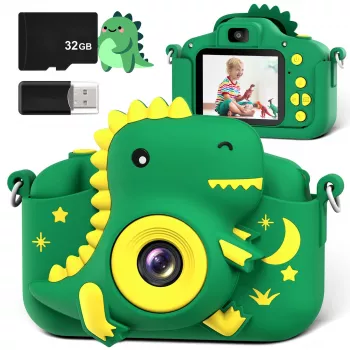
The Kids Digital Camera is a budget-friendly option designed for kid use and everyday play. It’s a practical first camera for birthdays, holidays, and travel days—especially when paired with a simple carrying pouch and a consistent routine for backing up photos at home.
More In-Stock Finds (Giftable Add-Ons)
- Rate Right | Freelance Pricing Checklist with ai for setting freelance rates, Confident Rates, Smart Pricing Strategy (helpful for adults planning side projects while kids work on photo “missions”).
- Floating TV Stand with 36″ Electric Fireplace and High Gloss Finish (a cozy living-room upgrade that can double as a backdrop for indoor photo projects).
FAQ
What age is best for a kids’ digital camera?
Ages 3–5 do best with simple controls and durable builds, since motor skills and patience are still developing. Ages 6–9 often appreciate clearer images and a quick shutter for action shots. Ages 10+ tend to use more storage and notice low-light performance, so models with better responsiveness and capacity are a stronger fit.
Do kids’ cameras need a memory card?
A memory card isn’t always required, but it’s very helpful because built-in storage can fill up quickly when kids take lots of photos and videos. Expandable storage is especially useful for trips and special events, and regular backups keep favorites safe while freeing space.
How can parents keep photo-taking safe and private?
Keep sharing features off (or avoid cameras that require accounts) for younger kids and store photos in private family folders. Teach kids to ask permission before taking someone’s photo and to avoid capturing personal details like addresses or school names in the background.














Leave a comment