Waterproof 15.6″ Laptop Backpack for Commute & Travel
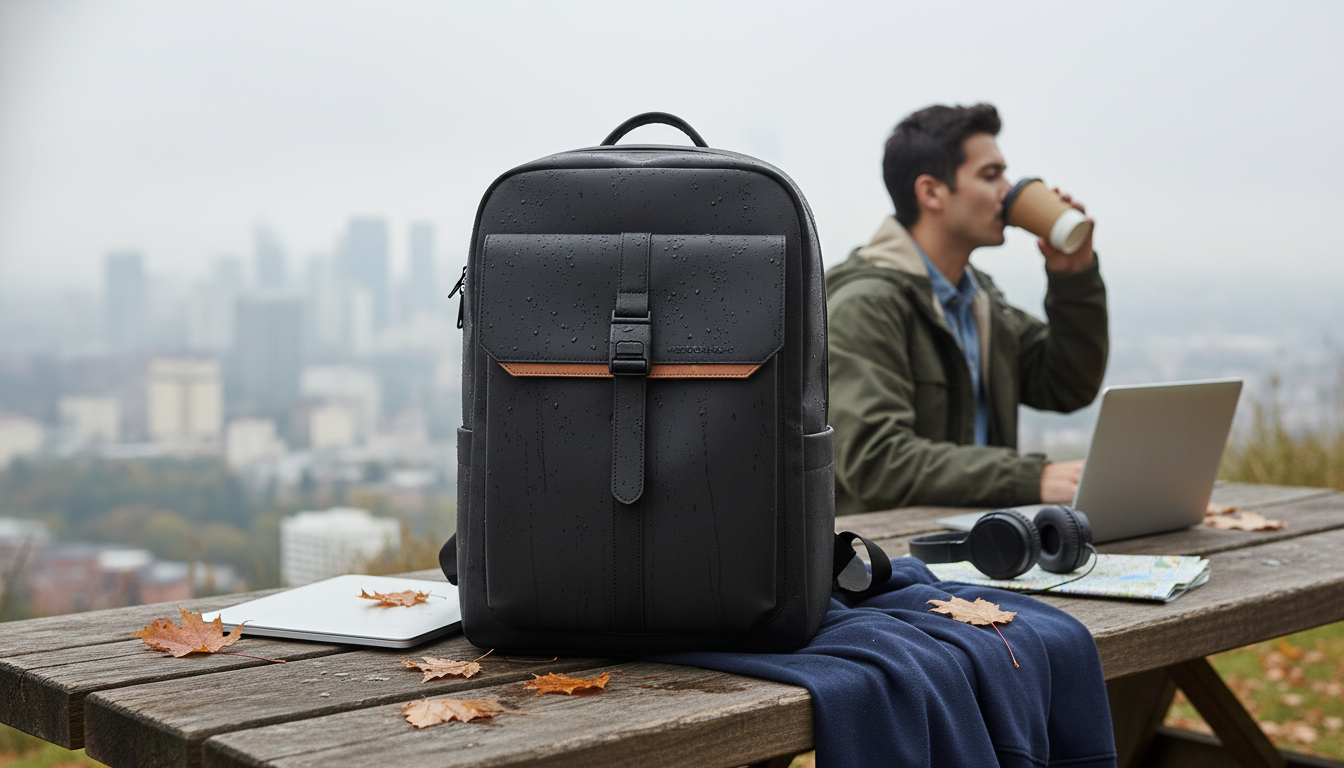
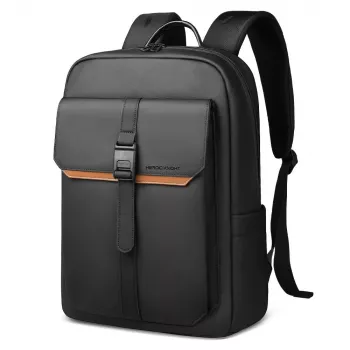
Waterproof 15.6” Laptop Backpack for Work, Travel and Daily Use
A reliable backpack for commuting and trips should protect electronics from weather, keep essentials organized, and stay comfortable through long days. This waterproof 15.6” laptop backpack is designed to move smoothly between office, transit, and weekend travel with practical storage, dedicated laptop protection, and an easy-to-carry profile. Whether you’re walking from the parking garage in a drizzle, hopping on the train, or navigating an airport terminal, the right bag helps you arrive with your gear intact and your shoulders less fatigued.
What makes a dependable work-and-travel backpack
A work-and-travel backpack earns its place by handling the everyday realities that tote bags and flimsy packs struggle with: unpredictable weather, tight spaces, and constant in-and-out access. A few essentials separate a “fine” backpack from one you’ll actually keep using.
- Weather-ready exterior: A waterproof shell helps shield your laptop, documents, and chargers from rain and splashes.
- Dedicated padded laptop compartment: A protected space sized for up to 15.6-inch devices helps prevent bumps from turning into dents.
- Balanced organization: Thoughtful pockets for chargers, notebooks, a water bottle, and quick-grab items reduce the daily rummage.
- Comfort features: Padding and support reduce shoulder pressure on commutes and long airport walks.
- Clean, office-friendly look: A streamlined style fits professional settings while still being practical for travel days.
Storage and organization that stays intuitive
Organization isn’t about having the most pockets—it’s about having the right pockets in the right places so your routine stays consistent. Packing becomes faster when items “live” in the same spot every day.
- Laptop compartment: Prioritize a snug, padded sleeve to reduce shifting while walking or climbing stairs.
- Main compartment: Aim for enough room for lunch, a light jacket, headphones, and daily essentials without needing to overstuff.
- Smaller pockets: Keep pens, keys, cards, and cables separated to avoid tangles (and avoid scratching your laptop with loose adapters).
- Quick-access area: Helpful for phone, transit pass, sanitizer, and other items used throughout the day.
- Routine-friendly packing: Put the same item in the same pocket each morning to speed up departures and security checks.
Protection for a 15.6-inch laptop and other tech
- Padded laptop space: Helps reduce impact and keeps the device stable during commutes.
- Keep liquids separated: Store bottles upright and away from the laptop area when possible to reduce leak risk.
- Cable management: Use a small pouch for chargers and adapters to prevent scratching and snagging.
- Extra layer strategy: During heavy rain, add a rain cover or place the laptop in a slim sleeve for redundancy.
- Airport tip: Keep the laptop in the dedicated compartment so it’s easy to remove when required; see current guidance on electronics at TSA: What Can I Bring?.
Water resistance in real life: what it covers (and what it doesn’t)
Comfort for commuting and long travel days
- Shoulder straps: Look for padding and a shape that sits flat without digging into the neck.
- Back panel: A supportive, breathable panel helps during warm commutes and fast airport walks.
- Weight distribution: Pack heavier items close to the back panel to reduce leverage and shoulder strain.
- Right fit: Adjust straps so the bag rides high and stable rather than sagging toward the lower back.
- Smart load: Avoid carrying more than needed—especially if the bag will be worn all day. For general backpack safety guidance, the American Chiropractic Association’s backpack safety tips are a helpful reference.
Travel-ready details that simplify the trip
- Carry-on friendly use: A streamlined silhouette is easier to stow under a seat or in an overhead bin.
- Security line efficiency: Organized pockets reduce time spent unpacking small items.
- Work-to-weekend flexibility: Enough capacity for a change of clothes while still looking professional.
- Day-trip usability: Comfortable for museums, conferences, and city walking with hands-free carry.
- Document safety: Keep passport, boarding pass, and receipts in a consistent secure pocket; for broader trip planning, see the CDC travel guidance.
Feature checklist and quick specs
| Category | What to look for | Why it matters |
|---|---|---|
| Laptop protection | Padded, dedicated compartment | Helps reduce impact and keeps devices stable |
| Weather protection | Waterproof exterior + mindful zipper placement | Improves protection during rain and splashes |
| Organization | Separate pockets for small items and cables | Less clutter and faster access |
| Comfort | Padded straps and supportive back panel | Easier all-day carrying |
| Travel practicality | Easy stowage and quick-access pocketing | Smoother movement through transit and airports |
Product option available now
- Waterproof 15.6” Laptop Backpack for Work, Travel and Daily Use — $78.01 (USD), in stock. A practical everyday bag designed to protect a laptop, handle wet weather, and keep essentials easy to find.
- Build a Smarter Content Calendar with AI | AI-Powered Content Planning Guide (Digital Download) — $10.99 (USD), in stock.
- How to Start a Money Blog – Ultimate Beginner’s eBook (Digital Download) — $20.99 (USD), in stock.
- Flower Cat Tree — $116.01 (USD), in stock.
FAQ
Will a 15.6-inch laptop fit securely in the laptop compartment?
It should fit up to 15.6-inch devices, but it’s best to confirm your laptop’s overall dimensions (not just screen size). Extra-thick models may fit more snugly in a padded sleeve.
Is the backpack fully waterproof or just water-resistant?
It’s intended to handle rain and splashes with a waterproof exterior. Avoid submerging it, and remember that zippers and seams are common areas where water can enter during heavy, prolonged rain.
How should the backpack be cleaned after getting wet?
Wipe the exterior with a damp cloth, open the compartments to air out, and let it dry fully before storing. This helps prevent lingering moisture and odor buildup.















Leave a comment